
ParkMobile: Park. Pay. Go.
Parkmobile, LLCAuto & Vehicles
4.325.90K Reviews
- Version
- 26.40.1
- Installs
- 10.00M
- Age Rating
- Everyone
Screenshots
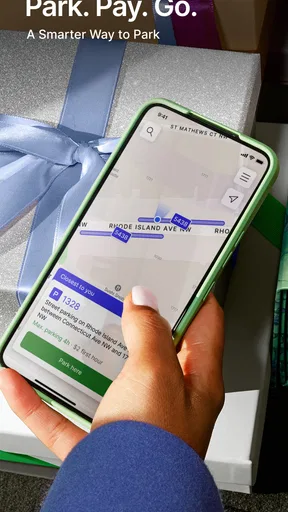
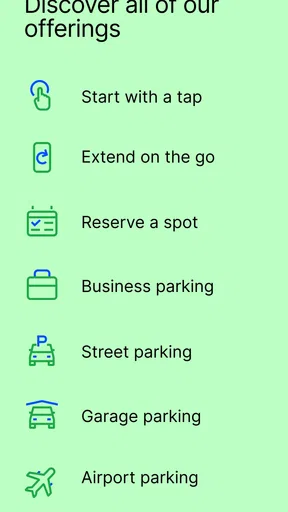
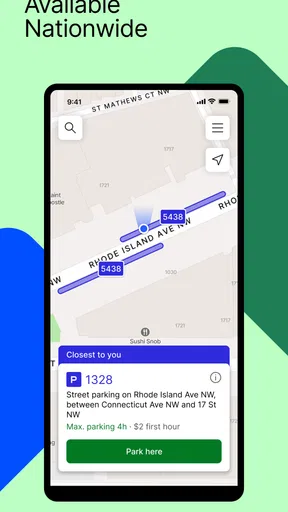
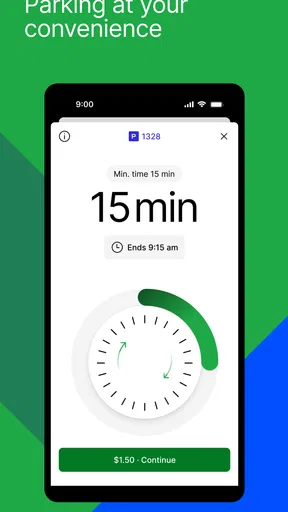
Our Review of ParkMobile: Park. Pay. Go.
 Analysis by Appyee
I judge a parking app by what happens when I am already running late: can I get from a street sign to a paid session without fumbling, and can I tell what to do if the connection is slow? ParkMobile: Park. Pay. Go. is built around finding and paying for parking, with advance reservations for some situations. In my experience, it can take friction out of a stop, but it is not a substitute for checking the signs or having a backup payment method when the app cannot load.
What to expect when speed matters
ParkMobile is an Auto & Vehicles app from Parkmobile, LLC, and the basic appeal is practical: handle a parking transaction on your phone rather than searching for a meter or payment machine. Its setup asks you to register a vehicle and payment details, then guides you through the process. Doing that before a rushed trip is the useful move. When you are parked at the curb with traffic behind you, entering account details is exactly the kind of avoidable delay that makes mobile payment feel slower than cash.
I would think of speed in two parts. Finding a place depends on what is available in the area and how well the app loads; completing payment depends on having your vehicle and payment details ready. Saving favorite spots can cut down repeated searching if you park in familiar places, though it does not make an unavailable space appear or guarantee that a particular spot is open. For a first visit, I would leave a little time to compare the app’s information with the signs on the street.
Busy arrivals and a more deliberate workflow
The app’s advance parking option is most useful when arrival is predictable and the destination is busy. For a game or concert, I would look into event parking before setting out rather than waiting until I am close to the venue. That shifts some of the decision-making away from the busiest part of the trip. It is still worth checking the reservation details and the location before leaving: a spot that looks convenient on a map may not be the best choice for your actual entrance or plans.
For an ordinary errand, the lighter workflow is often better: set up the vehicle and payment information at home, find the relevant parking option after arriving, and read the posted restrictions before paying. I would not start tapping through the app while driving. Pull over safely first, and make sure the selected vehicle and parking area match the signs. That small check matters more than shaving a few seconds off the payment process.
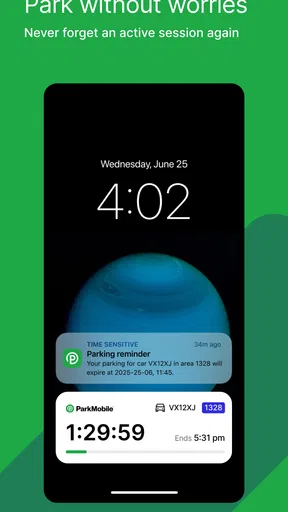
A realistic example is meeting a friend for dinner downtown. I might use the app to identify a supported parking option, check the street instructions, and start the session once the car is parked. If the visit runs long, an expiration alert can prompt me to decide whether an extension is available. That is more useful than relying on memory, but I would still keep an eye on the session and the local rules rather than treating a notification as permission to stay indefinitely.
Reliability, connection, and practical limits
As the published article notes, ParkMobile can feel slow to load in areas with patchy internet. That is a meaningful limitation for a task that often happens outdoors, beside a road, or in a garage with poor reception. I would not assume a payment has gone through just because I tapped the button; I would wait for a clear confirmation in the app. If the connection is unreliable, a meter, pay station, or another accepted method may be the safer fallback.
Coverage also shapes reliability. The app is available across many cities, but it is not a promise that every neighborhood, lot, or rural destination will be included. Before depending on it for a long drive or a tight appointment, I would check the destination area and have another way to pay in mind. The signs at the space remain the authority on permitted hours, limits, and restrictions. An app can make payment easier; it cannot resolve a mismatch between the selected location and the actual space.
The familiar alternatives each have a place. A physical meter or pay station can be more dependable when mobile data is weak, while paying through a city-specific service may make more sense if that is the method clearly indicated locally. ParkMobile is attractive when it supports the place you need and you value handling payment, alerts, or advance event parking in one app. The trade-off is that you need to check coverage, follow the area’s instructions, and accept that an app-based step can be less convenient than a machine when your phone or connection is the problem.
Who benefits, and who may prefer another option
I see the strongest fit for people who park in supported city areas often enough to benefit from saved favorites, or who visit venues where planning parking ahead is worthwhile. Occasional drivers can also benefit, especially if they set up the account before their first time-sensitive stop. If you usually park somewhere with a simple meter and reliable pay station, though, installing another app may not save you much. Drivers who dislike entering payment details into mobile services, or who often travel where coverage is uncertain, may prefer the local payment method instead.
One useful habit is to treat the app as a convenience layer rather than the sole source of truth. Check the space number or zone against the sign, confirm which vehicle is selected, and verify the session after paying. Before a major event, look at the parking option early enough to choose a different plan if the location or terms do not suit you. These checks are small, but they address the most consequential mistakes: paying for the wrong area, assuming a session began when it did not, or discovering too late that the destination is not covered.
Getting Started with Ease
The first thing that struck me about ParkMobile: Park. Pay. Go. is its intuitive design. Setting it up was a breeze. After downloading, I quickly registered my vehicle and payment details. The app guides you through every step with clear instructions, which is a win for those who aren't exactly tech-savvy.
Parking Made Simple
The core feature of the app is its ability to help you find available parking spots. With just a few taps, you can locate a spot, reserve it, and even pay in advance. It's like having a parking assistant in your pocket. The app covers a vast number of cities, so whether you're in bustling New York or laid-back Austin, you’re likely covered.
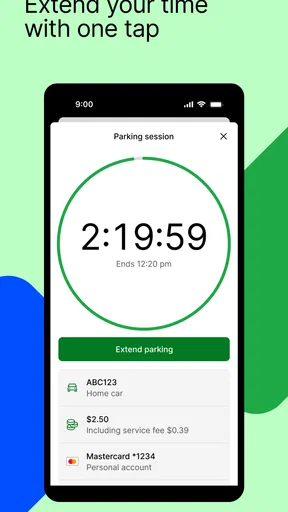
One thing I absolutely loved is the real-time updates. The app alerts you when your parking session is about to expire, giving you the option to extend it remotely. No more dashing back to the meter in the middle of dinner!
Features that Stand Out
Beyond just finding and paying for parking, ParkMobile has some nifty features. For instance, the app lets you save your favorite spots, making future parking even faster. It also integrates with various navigation apps, so you can seamlessly switch from finding a spot to getting directions.
The addition of event parking is another gem. If you're heading to a game or concert, you can reserve and pay for your spot well in advance, sparing yourself the headache of event-day chaos.
Room for Improvement
While ParkMobile is pretty solid, it's not without its quirks. Occasionally, the app can be a bit slow to load, especially in areas with patchy internet. Also, while the coverage is impressive, there are still some cities and rural areas that aren’t fully included. I’d love to see the app expand further.
Another aspect worth mentioning is the convenience fee. It’s minor, but it can add up if you’re a frequent parker. It's the price of convenience, but something to keep in mind.
Final Thoughts
All in all, ParkMobile is a game-changer for anyone who dreads the parking struggle. It’s efficient, user-friendly, and saves you time and stress. If you’re looking to make your parking experience hassle-free, this app is definitely worth a download. So go ahead, give it a spin, and let the app do the parking work for you!
Stability and device expectations
Because parking payment is time-sensitive, I care less about flashy presentation than whether an app behaves predictably when I need it. ParkMobile’s occasional slow loading is the clearest performance drawback in this experience. I would not describe it as a reason to avoid the app outright, but it does change how I use it: prepare your account in advance, keep the screen and confirmation in view until the transaction is clear, and do not depend on an extension at the last possible moment.
The app is free to download and is rated for Everyone. It has an average rating of 4.4 from around 83,000 ratings, with more than 10 million installs. It first appeared on November 28, 2011, and version 25.48.3 requires Android 6.0 or later. Those details make it a long-running option for Android users, but they do not guarantee identical performance on every phone. If an older device struggles with other apps or has little free space, I would keep expectations modest and test the app before relying on it for an important trip.
I cannot assess resource use from the app’s basic parking purpose alone, so I would avoid assuming it is especially light or demanding. In practical terms, the more important constraint is often the phone’s connection and readiness: a low battery, weak signal, or login problem can turn a quick payment into a delay. Saving the app for a single urgent moment without having completed setup is a poor workflow. If you expect to use it regularly, get the account ready while you are at home and make sure you know how to fall back to the local meter or lot instructions.
My performance verdict
ParkMobile earns its place when the area supports it and the convenience of mobile payment, session reminders, saved locations, or event planning is worth having. I would not call it a universal parking solution: availability varies, loading can drag on a weak connection, and a physical payment option may be faster when your phone is not cooperating. For someone who parks around town and wants to plan ahead, it is a useful tool rather than magic. My advice is simple: set it up before you need it, verify the zone and payment confirmation, and keep the signs—and a backup method—in charge of the final decision.
Privacy and Permissions
See what permissions an app requests and how it handles your data.
- Location
- approximate location (network-based), precise location (GPS and network-based)
- Photos/Media/Files
- read the contents of your USB storage, modify or delete the contents of your USB storage
- Storage
- read the contents of your USB storage, modify or delete the contents of your USB storage
- Camera
- take pictures and videos
- Wi-Fi connection information
- view Wi-Fi connections
- Other
- view network connections, pair with Bluetooth devices, access Bluetooth settings, full network access, run at startup, control vibration, prevent device from sleeping, read Google service configuration
Verdict
Strengths of ParkMobile: Park. Pay. Go.
- Easy to navigate user interface.
- Wide coverage in numerous cities.
- Real-time parking availability updates.
- Secure payment options.
- Saves time with quick transactions.
Limitations of ParkMobile: Park. Pay. Go.
- Limited support in rural areas.
- Occasional app crashes reported.
- Requires stable internet connection.
- High demand can affect availability.
- Some features are premium-only.
Similar Picks in This Category
View All
Android Auto
Google LLC4.1

maxim — order a taxi & food
PT. SITO4.7

Штрафы ГИБДД: проверка с фото
Pays LLC – Штрафы ГИБДД4.7

Номерограм – проверка авто
Авто Ассист4.8

Дром Авто
Дром4.9

Frequently Asked Questions
What is ParkMobile and how does it work?
ParkMobile is a convenient app designed to simplify parking by allowing users to locate, reserve, and pay for parking spaces through their smartphone. It works by using GPS to identify nearby parking options, letting you select and pay for a spot in advance or on-the-go, reducing the hassle of searching for parking.
Is ParkMobile available in my city?
ParkMobile is available in numerous cities across the United States and is continually expanding its reach. To check availability, you can visit the ParkMobile website or download the app and enter your location to see if services are offered in your area. It’s always being updated with new locations.
How secure is the payment process on ParkMobile?
ParkMobile employs robust security measures to protect user payment information. Transactions are encrypted, and the app complies with industry standards for data protection. Users can add payment methods securely, and personal data is safeguarded, ensuring a secure and trustworthy parking payment experience.
What options do I have if I need to cancel a parking reservation?
Cancellation policies can vary depending on the parking facility. Generally, the app allows for cancellations before a reservation begins, but it’s crucial to check the specific terms for each booking. Always review the cancellation policy in the app or confirmation email to avoid any unexpected fees.
Does ParkMobile offer customer support if I encounter issues?
Yes, ParkMobile provides customer support through multiple channels, including in-app chat, email, and phone support. Users can access help for issues related to reservations, payments, or technical difficulties. The support team is responsive and dedicated to resolving any concerns promptly.
